

API Testing Explained: Essential Concepts and Tools for Beginners
API Testing Explained: Essential Concepts and Tools for Beginners
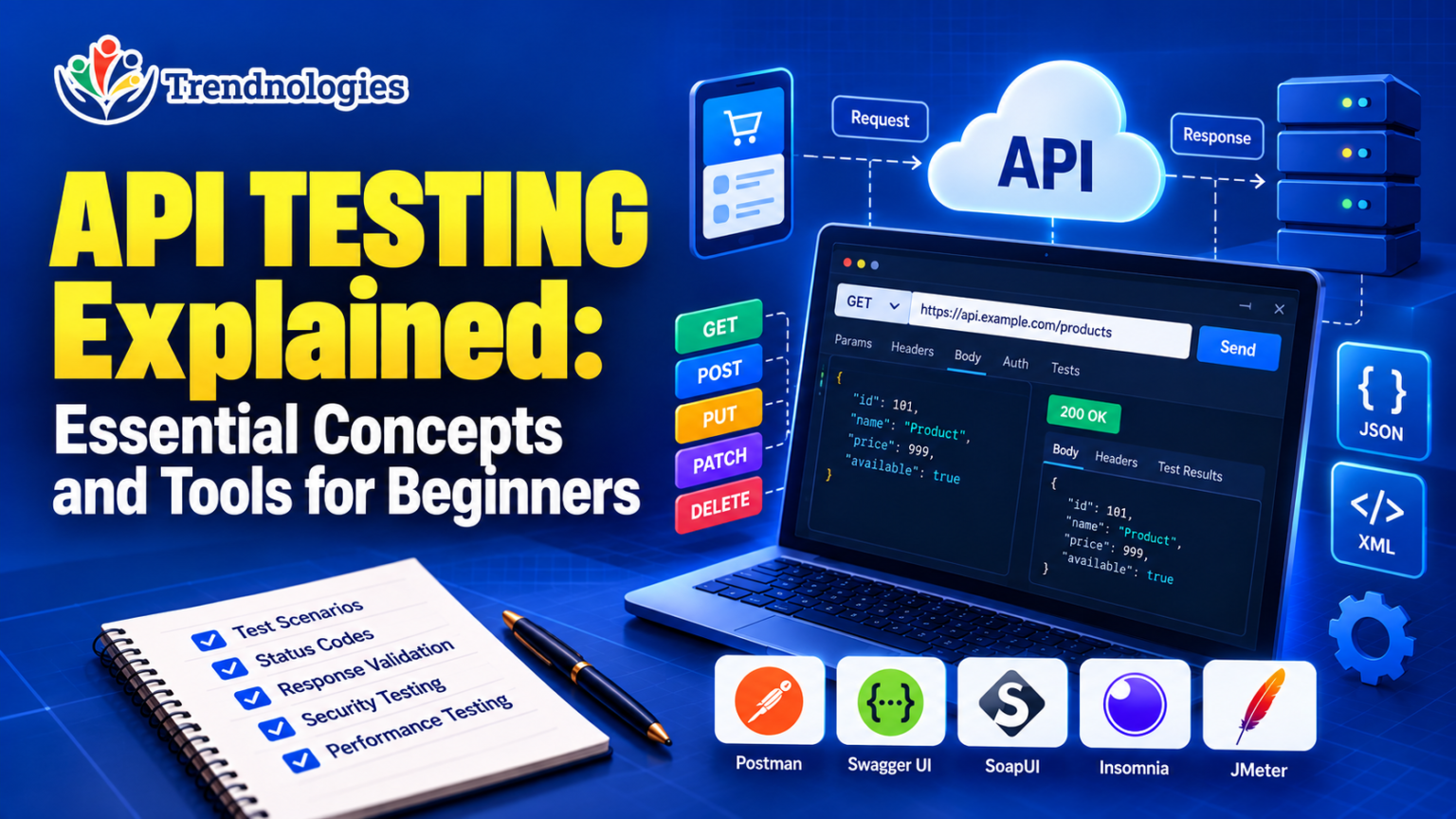
API testing for beginners starts with understanding how applications communicate with one another. When you book a ticket online, make a payment, or track a delivery, different software systems often exchange information behind the scenes. APIs make this communication possible, and API testing helps confirm that it works correctly.
If you are new to software testing, you can learn the essential concepts without writing code. This guide explains how API testing works, the different types of API tests, popular testing tools, and how to get started with manual API testing.
What Is API Testing?
API testing is a type of software testing used to check whether an Application Programming Interface (API) works as expected. It involves sending requests to an API and checking the responses to make sure the system behaves correctly.
An API acts as a communication point between different software applications or components. For example, when a shopping application processes a payment, it may communicate with a payment service through an API. API testing helps verify that the request is handled correctly and that the response contains the expected information.
Unlike user interface testing, which focuses on what users see and interact with on a screen, API testing checks the communication and data exchange happening behind that interface.
What Is an API? A Simple Real-World Example
Imagine ordering food through a delivery application. You choose a restaurant, select your meal, and place an order. The application needs to communicate with other systems to confirm the order, process payment, and retrieve delivery information.
An API helps these systems exchange the necessary information. The delivery application sends a request, and the connected system returns a response.
Think of an API as a receptionist in an office. You make a request, the receptionist passes it to the appropriate department, and the result is communicated back to you. The API performs a similar communication role between software systems.
API testing checks whether this exchange happens correctly. It can verify whether an order request is accepted, whether the response includes the correct order details, and whether the system handles an invalid request properly.
Why Is API Testing Important?
Modern applications often depend on multiple services working together. A problem in one API can affect payments, login processes, reports, bookings, or other important features. API testing helps teams identify these problems before they reach users.
- Finds issues early: API problems can be identified before they cause visible failures in the application.
- Checks data accuracy: It helps verify that the correct information is sent, received, and processed.
- Improves reliability: Testing confirms that APIs behave consistently under expected conditions.
- Supports security checks: It helps identify weaknesses involving access permissions, authentication, and sensitive information.
- Reduces testing effort: APIs can be tested directly without always navigating through the entire user interface.
- Supports integration: It helps confirm that connected systems exchange information correctly.
For businesses that depend on online services, accurate API responses can make a real difference to customer experience and day-to-day operations.
How Does API Testing Work?
API testing usually follows a structured process. The exact steps depend on the application and the testing tool, but the basic workflow is straightforward.
- Understand the API requirements: Review what the API is expected to do, the information it accepts, and the response it should return.
- Identify the test scenarios: Decide what needs to be checked, including successful requests, invalid inputs, access restrictions, and unusual situations.
- Send a request: Use an API testing tool to send the required request to the API.
- Inspect the response: Check the response status, returned data, response time, and other relevant details.
- Compare actual and expected results: Determine whether the response matches the requirements.
- Report defects: Document unexpected results with enough information for the development team to investigate.
- Retest after fixes: Check the API again after the issue has been resolved and confirm that the expected behaviour is restored.
For beginners, the most important habit is to understand what the API should do before deciding whether its response is correct.
Essential API Testing Concepts Beginners Should Know
You do not need to understand every technical detail on your first day. Start by becoming familiar with these common terms.
1. API Request
An API request is a message sent to an API to ask it to perform an action or provide information. For example, an application may request the details of a customer order or ask a service to confirm a payment.
2. API Response
An API response is the information returned by the API after receiving a request. A response might contain customer details, a payment result, booking information, or an error message.
3. Endpoint
An endpoint is a specific address through which an API resource or function can be accessed. Different endpoints may handle different operations, such as retrieving product details or checking an order status.
4. HTTP Methods
HTTP methods describe the action a client wants to perform when communicating with a web API. Common methods include:
- GET: Retrieves information.
- POST: Submits information, often to create a new record or initiate an operation.
- PUT: Replaces or updates a resource, depending on the API’s design.
- PATCH: Updates selected parts of a resource.
- DELETE: Requests the removal of a resource.
These methods are commonly used in web APIs, although the exact behaviour depends on the API’s documentation and implementation.
5. Status Codes
HTTP status codes help explain the outcome of a request. Testers should understand the common categories and what they indicate.
- 200 OK: The request was successful.
- 201 Created: A resource was created successfully.
- 400 Bad Request: The request was invalid or could not be processed as submitted.
- 401 Unauthorized: Authentication is missing or invalid.
- 403 Forbidden: The request is understood, but access is not permitted.
- 404 Not Found: The requested resource or endpoint could not be found.
- 500 Internal Server Error: The server encountered an unexpected problem.
A status code alone does not prove that an API is working correctly. A request can return a success status while still containing incorrect data. Testers need to check the complete response against the requirements.
6. Headers and Parameters
Headers provide additional information about a request or response. They can specify the content format or carry authentication details. Parameters provide values that help identify the information requested or control how a request is processed.
7. Request Body and Response Body
A request body contains data sent to an API, such as the details required to create an order. A response body contains the information returned by the API, which may include the order ID, status, and other relevant details.
8. JSON and XML
JSON and XML are formats used to represent and exchange structured data. JSON is widely used in modern web APIs. Testers should be able to inspect these formats and understand whether the returned fields and values match the expected results.
What Are the Different Types of API Testing?
API testing includes several testing types. Each one focuses on a different aspect of quality, reliability, or security.
1. Functional Testing
Functional testing checks whether an API performs the action it was designed to perform. For example, a product API should return the correct product details when a valid product is requested.
2. Validation Testing
Validation testing checks whether the API accepts valid information and handles invalid or incomplete inputs correctly. A registration API, for instance, should not accept information that violates its documented requirements.
3. Integration Testing
Integration testing verifies whether connected systems work together correctly. A payment service, order management system, and delivery service may each work independently but still experience problems when exchanging information.
4. Performance Testing
Performance testing measures how an API behaves under different workloads. It can help identify slow responses, capacity limits, and performance problems when many users make requests at the same time.
5. Security Testing
Security testing checks whether an API protects information and restricts access appropriately. Testers may examine authentication, authorization, access controls, and the handling of sensitive data. More advanced security testing may require specialist knowledge and authorization.
6. Negative Testing
Negative testing checks how an API responds to invalid requests, missing information, unsupported values, or unauthorized access attempts. The aim is to confirm that the API handles errors safely and predictably.
7. Regression Testing
Regression testing checks whether existing API functionality still works after a software change. It helps teams identify situations where a new feature or fix has affected something that was working previously.
Popular API Testing Tools for Beginners
API testing tools make it easier to send requests, inspect responses, organize test scenarios, and record results. Some tools are suitable for manual testing, while others support automation and more advanced testing activities.
1. Postman
Best for: Beginners learning manual API testing.
Postman is a widely used platform for working with APIs. It allows testers to send requests, examine responses, view status codes, organize requests into collections, and share API testing work with a team.
Beginners can use its visual interface to understand API requests and responses without starting with a programming language. Some advanced testing and automation features may require additional learning.
2. Swagger UI
Best for: Exploring API documentation and understanding available endpoints.
Swagger UI presents API documentation in an interactive format when an API has a suitable OpenAPI definition. It helps users understand available operations, parameters, and expected responses. Depending on the API configuration, users may also be able to try requests directly from the documentation.
3. SoapUI
Best for: Testing SOAP and REST APIs.
SoapUI is an API testing tool that supports SOAP and REST services. It offers features for functional testing and other testing activities. It is useful for understanding API testing in projects that work with different web service technologies.
4. Insomnia
Best for: Sending API requests and inspecting responses.
Insomnia is an API client that helps users create and manage requests, examine responses, and work with API environments. Its interface can help beginners explore how different request settings affect API behaviour.
5. Apache JMeter
Best for: Performance and load testing.
Apache JMeter is an open-source tool used to measure performance under different workloads. It can help testers understand response times, throughput, and how a service behaves when handling multiple requests. It generally requires more preparation than basic manual API testing.
Which API Testing Tool Should a Beginner Learn First?
For someone starting with manual API testing, Postman is a practical first choice because its interface makes requests and responses easier to explore. Swagger UI is also useful for understanding API documentation.
Once you are comfortable with the basics, you can explore SoapUI or Insomnia for additional API testing workflows and JMeter for performance testing. The best tool ultimately depends on the project, the testing requirements, and the tools used by the team.
How to Perform API Testing Without Coding
You can learn many API testing fundamentals through manual testing tools before moving into programming or automation. A good starting point is to use a test API or a training environment where you have permission to send requests.
- Choose a practice API: Select a public test API or a sample API provided for learning.
- Read the documentation: Understand what each endpoint does, which inputs it accepts, and what responses are expected.
- Open an API testing tool: Use a tool such as Postman to create a request through its interface.
- Start with a simple request: Retrieve information from an endpoint that supports a basic read operation.
- Check the status code: Confirm whether the request produced the expected outcome.
- Inspect the response: Verify the data, field names, values, and format against the API documentation.
- Try different scenarios: Where the practice API permits it, check missing parameters, invalid values, and unavailable resources.
- Record the results: Note the scenario, expected result, actual result, and whether the test passed or failed.
Remember that not every public API allows every type of request. Use a dedicated test environment and follow the provider’s terms. Never experiment with unauthorized systems or submit real personal or payment information to an unfamiliar service.
Real-World Example: Testing an Online Shopping API
Imagine an online shopping application that lets customers view products, place orders, and check delivery status. A tester can verify its APIs by checking realistic scenarios.
- Product details: Does the API return the correct name, price, and availability for a product?
- Order creation: Does a valid order request produce the expected confirmation?
- Missing information: Does the API clearly explain what is wrong when a required field is missing?
- Invalid order reference: Does the system return an appropriate response when an order cannot be found?
- Access permissions: Can customers view only the order information they are authorized to access?
- Response time: Does the product or order API respond within the performance target defined by the project?
- Updated order status: Does the API return the correct status after an order moves to the next stage?
These scenarios demonstrate how API testing helps verify business rules and communication between systems. The same approach can be adapted to banking applications, travel bookings, healthcare platforms, learning portals, and many other services.
Common API Testing Challenges
API testing becomes easier with practice, but beginners may encounter a few common challenges.
- Unclear documentation: If the expected behaviour is not documented, it can be difficult to decide whether a response is correct.
- Authentication issues: Some APIs require credentials, tokens, or specific permissions before they allow access.
- Changing test data: Results may vary when records are updated or removed by other users or processes.
- Complex responses: Large responses with nested information can take time to understand and validate.
- Environment differences: An API may behave differently in development, testing, and production environments.
- Interdependent services: A failure may originate in another system rather than the API being tested directly.
To handle these challenges, read the API documentation carefully, use stable test data, record your findings, and ask for clarification when the expected result is uncertain.
Common Mistakes Beginners Should Avoid
- Checking only the status code without reviewing the response data.
- Testing only successful requests and ignoring invalid or unexpected inputs.
- Assuming that a response is correct without comparing it against requirements.
- Ignoring authentication and authorization requirements.
- Failing to document defects clearly enough for another person to reproduce them.
- Testing an API without permission or using sensitive real-world data in an unsafe environment.
- Assuming that manual testing alone will cover every performance, security, and automation requirement.
A careful tester does more than send requests. They investigate behaviour, compare results with expectations, and provide clear evidence when something does not work as intended.
Do You Need Coding Skills to Learn API Testing?
No. You can begin learning the fundamentals of API testing without coding. Manual API testing tools allow you to create requests, inspect responses, check status codes, and validate data using their interfaces.
However, coding knowledge becomes useful when you want to build automated API tests, create reusable test logic, integrate tests into continuous integration pipelines, or handle complex validation requirements. Many automation roles expect familiarity with a language such as Python, Java, or JavaScript.
A practical learning path is to understand HTTP methods, endpoints, status codes, request and response formats, and manual testing first. After that, you can decide whether to develop automation skills based on your career goals and the requirements of the roles you want to pursue.
How Beginners Can Build API Testing Skills
Reading about API testing is a useful first step, but the concepts become clearer when you apply them to actual test scenarios. A structured learning plan can help you move from understanding terminology to testing APIs with confidence.
- Learn the fundamentals: Understand APIs, HTTP methods, endpoints, status codes, headers, and common data formats.
- Explore a manual testing tool: Practise creating requests and reading responses in Postman or another suitable API client.
- Study test scenarios: Learn how to check valid requests, invalid inputs, error responses, data accuracy, and access permissions.
- Document test cases: Record the test objective, preconditions, steps, expected result, actual result, and final status.
- Practise defect reporting: Describe the issue clearly and include the relevant request details, response information, and steps to reproduce it. Avoid exposing passwords, tokens, or sensitive data.
- Understand how APIs fit into software testing: Learn how API testing supports integration testing, regression testing, and broader quality assurance activities.
- Explore automation when ready: Build on your manual testing knowledge by learning a programming language and an API automation framework if your target roles require them.
If you are comparing learning options, explore the software courses offered by Trendnologies and review the syllabus, practical exercises, trainer guidance, and interview preparation available for the course you are considering. Ask the training team about the specific API testing topics covered and the placement assistance provided.
Frequently Asked Questions About API Testing
1. What is API testing in simple words?
API testing checks whether software interfaces exchange information correctly and behave according to their requirements. Testers send requests, inspect responses, and compare actual results with expected results.
2. Is API testing suitable for beginners?
Yes. Beginners can start by learning API concepts, HTTP methods, status codes, and response validation. Practising with a manual testing tool helps make these concepts easier to understand.
3. Can I learn API testing without coding?
Yes. Manual API testing can be performed with tools that provide a graphical interface. Coding becomes more important for advanced validation, test automation, and integration with development pipelines.
4. Which API testing tool is best for beginners?
Postman is a practical starting point for manual API testing. Swagger UI is helpful for exploring API documentation, while tools such as SoapUI, Insomnia, and JMeter serve additional testing needs.
5. What is the difference between API testing and UI testing?
API testing checks the communication, responses, and behaviour of software interfaces. UI testing checks how an application looks and behaves from the user’s perspective, including buttons, forms, navigation, and displayed information.
6. Is API testing only used for web applications?
No. APIs are used by many types of software, including mobile applications, web platforms, enterprise systems, and cloud services. API testing can be relevant wherever software components communicate through APIs.
7. What should I learn before API testing?
Basic knowledge of software testing concepts is helpful. You should gradually learn how requests and responses work, common HTTP methods, status codes, data formats such as JSON, and how to read API documentation. Programming is not a prerequisite for starting manual API testing.
8. What career opportunities involve API testing?
API testing skills can be useful in software testing, quality assurance, manual testing, integration testing, and test automation roles. The skills required vary by employer, and many automation-focused positions expect programming knowledge in addition to testing fundamentals.
Final Thoughts
API testing is an important part of software quality assurance because it helps confirm that applications communicate correctly, return accurate information, and handle errors appropriately. It is used across many industries, from e-commerce and banking to travel, healthcare, and enterprise software.
If you are new to software testing, start with the fundamentals rather than trying to learn every tool at once. Understand requests and responses, become comfortable with status codes, practise manual testing with a tool such as Postman, and learn how to document test results clearly.
You do not need to begin with coding to understand API testing. Build a solid foundation first, then explore automation if it matches your career goals. Consistent practice and a clear understanding of expected behaviour will help you develop the skills needed for real testing work.
For more information about learning options, visit Trendnologies software courses and review the course details that match your interests.