
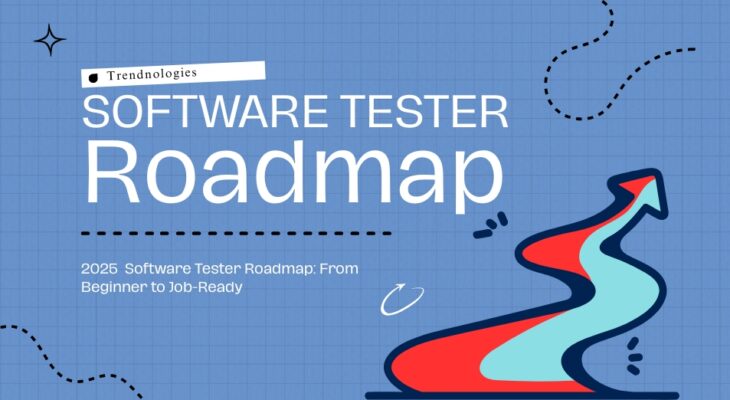
Software testing roadmap

Software Tester Roadmap: Step-by-Step from Zero to Job

Software Tester Roadmap: Step-by-Step from Zero to Job Looking to become a software tester but don’t know where to start?Trendnologies, the best software training institute in Chennai, offers a practical, step-by-step software testing roadmap that takes you from zero technical knowledge to a job-ready software testing professional — all in just 60 days.Whether you’re a fresher, a career switcher, or a non-IT aspirant, this roadmap is your blueprint to success in the booming IT world. Can you learn swimming by reading a book?Of course not. You need to jump into the water.The same goes for software testing.To master it, you need real-time experience, practical training, and expert guidance — and that’s exactly what this roadmap gives you. Software Testing Roadmap: From Beginner to Job-Ready Table of Contents Step 1: Understand What Software Testing Is Software testing is the process of evaluating software applications to ensure they work as expected and are free from bugs. It plays a critical role in IT, because even a small error in code can cause big losses for companies. If you’re aiming to build a career in testing, following a clear software testing roadmap is essential. Testing ensures quality, user satisfaction, and product success. Step 2: Learn the Fundamentals Start with basic concepts like: What is software testing? Types of testing (manual, automation, functional, etc.) SDLC & STLC (Software Development & Testing Life Cycle) Bug Life Cycle Test case creation and execution Step 3: Get Hands-On Practice Reading is not enough — practice is key.Start working on: Real-time web and mobile applications Writing and executing test cases Bug tracking with tools like JIRA Test management with tools like TestLink Step 4: Learn Automation Tools Once you’re confident with manual testing, move on to automation using tools like: Selenium WebDriver TestNG Postman (for API Testing) SQL basics Basics of Java or Python (only what’s needed for automation) Step 5: Build Projects & Your Portfolio Gain hands-on experience by working on real-time industry projects under expert mentorship. These practical sessions will help you build a strong portfolio that showcases your skills. Your portfolio can include: Well-written test case documents Detailed bug reports Video walkthroughs of your testing process GitHub uploads (if required) to demonstrate your work professionally This real-time exposure is a crucial part of your software testing roadmap and helps you stand out to recruiters. Step 6: Resume Building & Interview Practice Mock interviews and resume writing are vital.Get trained in: How to answer HR and technical questions Handling real-world testing scenarios Explaining your testing projects confidently Why Software Testing Is a Great Career Choice No coding background required Easy to start for non-IT professionals High demand in IT companies Great pay packages for skilled testers Fast-track entry into the tech world Why Choose Trendnologies? Trendnologies is trusted as the best software training institute in Chennai for a reason: ✔️ 100% Practical & Real-time Training ✔️ Expert Trainers with Industry Experience ✔️ Hands-on Projects from Day One ✔️ Mock Interviews + Resume Sessions ✔️ Interview Training for MNC Roles ✔️ Placement Support within 60 Days ✔️ Friendly, Supportive Learning Environment If you’re serious about becoming a software tester, Trendnologies is your shortcut to success. Quick Summary If you’re starting from zero, software testing is one of the smartest and safest paths to enter the IT industry. By following a clear software testing roadmap, and gaining practical skills, real-time project experience, and interview support, you can go from beginner to employed — fast. And with Trendnologies in Chennai, you’re never alone in your journey. FAQs – Still Got Questions? Let’s Clear Them Up! 1. Can I learn software testing without a coding background? Yes! You can easily start with manual testing and move to automation later. 2. How long does it take to become job-ready? With Trendnologies’ practical training, you can be ready in just 60 days. 3. What tools will I learn during the course? You’ll learn tools like Selenium, JIRA, TestNG, Postman, and more. 4. Is software testing a good career for freshers? Absolutely! It’s one of the most in-demand roles in IT with plenty of job openings. 5. Will I work on real-time projects during the course? Yes, real-time projects are part of the training at Trendnologies. 6. Do I get placement assistance after the course? Yes. Trendnologies provides complete placement support and mock interviews. 7. Is this course suitable for non-IT professionals? Yes, many students from B.Com, B.Sc, and arts backgrounds have successfully switched to IT. 8. What is the salary range for software testers? Freshers can start with 3–5 LPA, and it grows quickly with experience.   9. Can I attend classes online? Yes, both offline and online classes are available at Trendnologies.   10. What if I miss a class? You can attend the backup sessions or recorded classes. Conclusion Ready to start your career in IT?Learn software testing practically, easily, and confidently at Trendnologies, the best software training institute in Chennai.With expert mentors, real-time projects, resume building, and placement support within 60 days, your dream IT job is just a course away.Start today — your future in tech begins here. Follow our proven software testing roadmap and start today — your future in tech begins here. Follow us for Regular Updates & Offers

Read More
Your Dream Company is Hiring. Are You Hire-Ready?

Your Dream Company is Hiring Are You Hire-Ready? Future of Hire Ready Skills for Dream Job: When you find out that your dream company is recruiting, excitement rushes in. But before you hit ‘Apply’, pause: are you truly ready? In today’s competitive and skills-focused job market, it’s not enough to want a job—you must prove you’re ready for it. This blog explores the future of hire ready skills for dream job by helping you evaluate your preparedness across key areas: skills, mindset, communication, and strategy. Understanding these aspects will not only increase your chances of landing your ideal role but also set you up for long-term career growth. Table of Contents What Does “Hire‑Ready” Mean Today? Future of Hire Ready Skills for Dream Job starts with more than just resumes and degrees. Being “hire‑ready” means: You can demonstrate real achievements, measurable progress, and proven abilities. You know how to learn quickly, adapt, and handle unknown challenges. You communicate clearly, behave professionally, and fit with company values. So, before your dream company sends an offer, ensure you’re interview‑proof in both skill and mindset. Focusing on the future of hire ready skills for dream job ensures you not only meet expectations but stand out as a top candidate in today’s competitive market. 1. Showcase Your Achievements Clearly Future of Hire Ready Skills for Dream Job demands more than abstract claims like “served clients” or “worked on projects.” To stand out: Use specific data (e.g., “Led a team of 4 to reduce costs by 25%”). Highlight tangible outcomes, such as increasing efficiency, launching new services, or any measurable improvement. Quantifying impact differentiates you from others with generic resumes. Focusing on the future of hire ready skills for dream job means demonstrating real, measurable contributions that show you are prepared to deliver results from day one. 2. Sharpen Your Critical & Adaptive Skills Future of Hire Ready Skills for Dream Job shows that dream employers expect more than just technical ability. They value: Critical thinking: Can you analyze issues and offer solutions? Adaptability: Will you pivot if priorities change? Collaboration: Do you work well with diverse teams? If you’ve volunteered, led small projects, or solved complex problems at work or in your studies, weave those experiences into your narrative. Focusing on the future of hire ready skills for dream job helps you demonstrate not only what you know, but how effectively you can apply it in real-world scenarios. 3. Build a Portfolio That Speaks for You Future of Hire Ready Skills for Dream Job highlights that even if you’re not in a technical field, a portfolio can showcase your value: Case studies of problem-solving (even from education). Reports, presentations, or creative samples. Testimonials or feedback from mentors or former employers. A portfolio is your opportunity to tell stories of impact—not just listing tasks. Building one demonstrates the future of hire ready skills for dream job, proving you can deliver measurable results and stand out in a competitive hiring landscape. 4. Invest in Relevant Certifications Future of Hire Ready Skills for Dream Job recognizes that certifications can elevate your profile and prove your capability. Consider: Industry-recognized credentials like Microsoft, IBM, or AWS (depending on your field). Soft‑skill or leadership certifications through platforms like Coursera, Udemy, or LinkedIn Learning. Specialized courses from the best software training institute in Chennai that provide structured learning and placement support. This extra badge of effort shows ambition and commitment. Focusing on the future of hire ready skills for dream job ensures you stay competitive and demonstrate both expertise and dedication to potential employers. 5. Perfect Your Resume for Real Human & AI Review Applications today may go through automated filters first: Use clear, keyword‑rich headings. Stick to a simple, ATS‑friendly format—no fancy graphics. Tailor your summary to each role, emphasizing achievements over duties. Human reviewers should still find your résumé polished and professional. 6. Nail the Interview (Virtual or In-Person) Whether it’s an in-person meeting or a virtual discussion: Prepare responses using the STAR method (Situation, Task, Action, Result). Be ready to speak confidently on video interviews—ensure proper lighting, clear audio, good posture. Practice answering questions about teamwork, conflict-resolution, and career choices honestly and thoughtfully. Confidence and clarity are memorable. 7. Research the Company Thoroughly Don’t just apply—understand: Their mission, values, and culture. Client base, business model, and recent news. LinkedIn profiles of current team members. Referencing specific company details during interviews illustrates genuine interest and fit. 8. Expand Your Network & Reach Out Instead of blind applications: Connect with employees or alumni on professional platforms. Join relevant webinars or workshops related to your field. Ask for informational interviews—learn about roles and express your interest. Networking builds credibility and increases your chances of an internal referral. 9. Demonstrate Continuous Learning Whether it’s new tools, industry updates, or soft-skills, top performers are perpetual learners: Take short monthly courses or podcasts in your field. Actively update your skills every few months. Show this learning mindset in your interviews or applications. Organizations want people who can evolve, not stagnate. 10. Polish Your Online Presence Your digital footprint is part of your brand: Ensure your professional profile (LinkedIn, GitHub, portfolio) is up-to-date. Align it with your résumé and highlight achievements. Skip unprofessional content or photos. Positive online presence strengthens your candidacy. Quick Pre‑Application Checklist Area Action Resume Quantified results, ATS-friendly, customized per role Portfolio Case studies, project outcomes, testimonials Certifications Industry-aligned or technical upskilling Interview Prep STAR method, good video presence, confident delivery Research Know company values, recent work, culture Networking Reach out, attend events, connect authentically Continuous Learning Latest tools + skills, show growth mindset Why Being Truly Hire‑Ready Matters In 2025, companies care less about credentials, more about capability, mindset, and potential. AI‑based applicant filtering is common, while hiring decisions increasingly value: Evidence of results over tenure Ability to adapt to evolving challenges Culture fit and communication skills If you invest in these areas wisely, you’ll stand out—not just as an applicant, but as a candidate they need. FAQs: Your Dream

Read More

Power BI vs Tableau – Which One Should You Master First?

Power BI vs Tableau Which One Should You Master First? Your Guide to Choosing the Best Data Visualization Platform In the rapidly evolving world of data analytics and business intelligence, professionals and learners are constantly on the lookout for tools that offer efficiency, clarity, and power. Two names consistently dominate the conversation: Power BI and Tableau. But when you’re just starting or looking to upskill, a critical question arises: “Which one should you master first?” Let’s dive into a comparative exploration that not only evaluates their features but also considers real-world usage, career demand, and training accessibility. If you’re searching for the best software training institute in Chennai, read on—this guide has something for you too. Table of Contents Understanding Power BI and Tableau Power BI, developed by Microsoft, is a business analytics solution that allows users to visualize data and share insights across their organizations or embed them in apps or websites. It integrates seamlessly with Microsoft products like Excel and Azure, making it ideal for enterprises already within that ecosystem. Tableau, now a Salesforce product, is a data visualization platform known for its drag-and-drop interface and robust analytical capabilities. It is widely appreciated for handling large datasets and offering flexible data blending options. Learning Curve and Ease of Use Power BI offers a smoother entry point for beginners, especially those familiar with Excel. The interface and logic feel intuitive for those from non-programming backgrounds. Tableau, while user-friendly, may require a deeper understanding of data modeling and can seem complex initially. If you’re aiming for a quicker learning path, Power BI may give you a head start. Integration Ecosystem Power BI has tight integration with Microsoft tools such as Azure, Excel, SQL Server, and SharePoint. This makes it a great choice for professionals working in Microsoft-dominated environments. Tableau excels at integrating with a wide array of data sources, including cloud platforms, big data environments, and on-premise databases. Choose based on where you or your organization stands technologically. Visualization and UI Capabilities Tableau is often considered more flexible and superior in terms of visualization aesthetics and interactivity. Power BI, while slightly more rigid, offers excellent templates and built-in visuals sufficient for most enterprise needs. If stunning visuals and dashboard customizations are a priority, Tableau has a slight edge. Power BI vs Tableau Power BI is easier for beginners. Tableau offers deeper visual control. Power BI works well with Excel. Tableau handles big data better. recognition Power BI is budget-friendly. Tableau gives more design freedom. Power BI suits quick reporting. Start with Power BI, upgrade to Tableau later. Community and Learning Resources Both tools have vast communities, forums, and learning content. However: Power BI benefits from Microsoft’s extensive documentation and free learning paths. Tableau has strong community engagement through Tableau Public and its vast gallery of shared dashboards. Training options are available for both, but if you are in Tamil Nadu and seeking in-person mentorship, the best software training institute in Chennai can provide guided programs for both platforms with industry-led mentorship and job support. Performance and Scalability Tableau tends to perform better with extremely large datasets and can handle complex calculations efficiently. Power BI works excellently with moderately large data and is optimized for performance when working within the Microsoft stack. For big data professionals, Tableau may have an advantage. For SMBs and standard enterprise needs, Power BI is highly capable. Licensing and Cost Power BI is extremely affordable. Its Desktop version is free, and Pro versions are cost-effective for small to medium-sized businesses. Tableau comes at a premium price, particularly for enterprise licenses. If budget is a concern, Power BI offers unbeatable value. Career Opportunities and Market Demand Job listings for both tools are booming, but there’s a slight edge: Power BI is in high demand across sectors such as finance, healthcare, retail, and e-commerce. Tableau is widely used in large enterprises and consulting firms. Learning either will boost your resume, but for rapid job placement, Power BI is often preferred due to its accessibility and growing adoption. Kickstart Your Data Visualization Journey Today Master Power BI or Tableau to turn raw data into powerful insights and grow in the data-driven world Enroll Now FAQs – Software Testing Career Is Power BI easier to learn than Tableau? Yes. Power BI is more beginner-friendly, especially for those familiar with Excel or Microsoft tools. Which tool is more in demand: Tableau or Power BI? Power BI currently has a slightly higher demand, particularly in startups and mid-sized firms. Do I need coding to learn Power BI or Tableau? No. Both tools are low-code platforms. Basic data handling skills are sufficient to start. Can I switch from Power BI to Tableau easily? Yes. Once you understand BI concepts, transitioning between tools is manageable. Which is better for big data analysis? Tableau handles large datasets more efficiently and is better for big data environments. Does Power BI work well with Excel? Absolutely. Power BI has seamless integration with Excel and other Microsoft tools. Is Tableau better for data visualization than Power BI? Tableau is generally considered more advanced in visual aesthetics and interactivity. What is the cost difference between Power BI and Tableau? Power BI is more budget-friendly, especially for individuals and small businesses. Where can I learn both Power BI and Tableau with certification? The best software training institute in Chennai offers certification courses in both platforms with placement support. Should I learn both Power BI and Tableau? Yes, mastering both tools can significantly boost your versatility and career opportunities in BI roles. The Final Verdict: Which to Learn First? If you’re just starting your journey in data analytics, Power BI is generally the better first step: Easier learning curve Strong Microsoft integration Lower cost High entry-level job demand However, if you’re eyeing senior BI roles or enterprise-level data storytelling, learning Tableau after Power BI will round out your skill set. Still confused? The best way to choose is to get hands-on experience. If you’re near Chennai, the best software training

Read More

Register Your Demo Slot

    Quick Enquiry


      Register to Achieve Your Dream Career


        Wait!! Don't skip your Dream Career

        Enroll Today & Start Your Learning Journey

          Get in Touch with us


            5 + 6 =